
AI is not going to do your executive functioning for you. No app is, and anyone who promises otherwise is overselling it. What good AI use can do, on a day when starting feels impossible, is carry part of that load so you have enough left to do the thing.
The general advice on AI for ADHD is easy to find: it can help you plan and remember. True, and not much use at 9 p.m. when you are staring at a task you cannot make yourself begin. The gap is rarely whether AI helps. It is knowing what to actually type.
So here is what to actually type: nine ChatGPT prompts I put together as an executive function coach, each built around one of the executive function skills we focus on at Life Skills Advocate. Copy them, change the brackets, keep the two or three that stick.
One caveat runs underneath all of it, and we will get there.
TL;DR
If you have ADHD and want AI to help instead of becoming one more app you abandon, here is the short version:
- Used well, AI for ADHD works as outside executive function support: it can break a task down, sort a brain dump, block out your day, and sit in as a quiet body double.
- The nine prompts below are grouped by skill, two each for getting started, planning your time, working memory, and deciding what comes first, plus one for body doubling. The fastest win is task paralysis: ask for five two-minute ways into whatever has you stuck.
- Skip the generic to-do lists. These are written for an ADHD brain, not a productivity influencer’s.
- The caveat worth keeping: it is a support to lean on, not a replacement for the skill underneath. Let it carry a hard day, and keep building the muscle.
A quick note before the prompts: this is educational, not a professional evaluation or medical advice. If ADHD is something you are sorting out with a provider, use this alongside that conversation, not instead of it.
What AI for ADHD Actually Does for Your Brain
Picture the last time your head was holding nine open loops at once: the email, the thing at 3, the unpaid bill, the text you keep forgetting to send. Holding all of that, all day, is the part of ADHD that quietly burns the most fuel.
This is the job AI is genuinely good at: a place to set the loops down so your brain stops standing guard over them.
Researchers and ADHD organizations now describe this less as productivity and more as thinking support. The Edge Foundation frames AI as a kind of external executive function support, an outside system that steadies thinking and lowers overwhelm so you can act.
Understood walks through several concrete ways AI can help, from working memory to organizing a mess of ideas, and CHADD reports that across its support groups more adults use it to break overwhelming tasks down.
The clearest way to feel it is a brain dump. Pour every loop into the chat, then ask it to split them into today and not-today. You did not sit down and plan. You offloaded, and the plan fell out of the sort.
That one move leans on several skills at once. The framework we use at Life Skills Advocate organizes executive function into 11 skills, and a sorted brain dump touches working memory, prioritizing, and task initiation together. Other frameworks split them differently, but the point holds: the thing draining you is usually three skills tangled into one, and AI is good at pulling them apart.
The AI for ADHD Prompt Library: 9 ChatGPT Prompts by Executive Function Skill
Each prompt below is plain text you paste into ChatGPT, or any chatbot, and adjust, grouped by the executive function skill it props up. ADDitude has made the same case, that ChatGPT can work as an executive function tool for ADHD brains.
Getting Started When You Cannot Start (Task Initiation)
For an ADHD brain, the wall is rarely the whole task. It is the first inch.
Prompt 1, the five doorways: When a task has you frozen, paste this:
Five tiny entry points beat one big plan, because task paralysis usually breaks the moment you have a move you can picture making.
Prompt 2, name the first physical action: For the days when even five feels like too much, go smaller and paste this:
One sentence, one action, nothing to scroll past.
Planning a Day That Fits the Hours You Have (Time Management)
Time blindness makes a day look infinite at 8 a.m. and impossible by noon.
Prompt 3, the buffered time-block: Paste your list and ask:
The buffers are the point. A time management plan that survives past Wednesday is mostly white space you did not delete.
Prompt 4, the time-estimate gut check: Before you commit to a deadline, paste this:
Pair it with a time estimation worksheet and check your guesses against the clock for a week.
Getting It Out of Your Head (Working Memory and Brain Dumps)
Holding too much in working memory is, by the Edge Foundation’s account, one of the most exhausting parts of ADHD. What helps is boring and it works: put it somewhere outside your skull.
Prompt 5, dump and sort: Open a chat and paste this:
This is the digital version of a brain dump. If pen and paper land better, a brain dump worksheet does the same job offline.
Prompt 6, hold this for me: When something pops up that you can’t deal with yet, paste this:
It becomes the notebook you would have lost, except it hands the notes back as actions instead of guilt.
Deciding What Actually Comes First (Prioritization)
When everything feels equally urgent, the brain often picks nothing.
Prompt 7, pick the one thing: When everything feels equally urgent, paste this:
The forced singular answer is the medicine. You can argue with it later.
Prompt 8, shrink the wall: When a project feels too big to face, paste this:
Three actions, not thirty.
A Body Double on Demand (Accountability)
Prompt 9, the quiet body double: Some of us simply work better when someone else is in the room. When no one is, paste this:
It is not the same as a person. But declaring the task out loud and knowing a check-in is coming does a surprising amount of the work. Read up on why body doubling helps before you try the AI version.
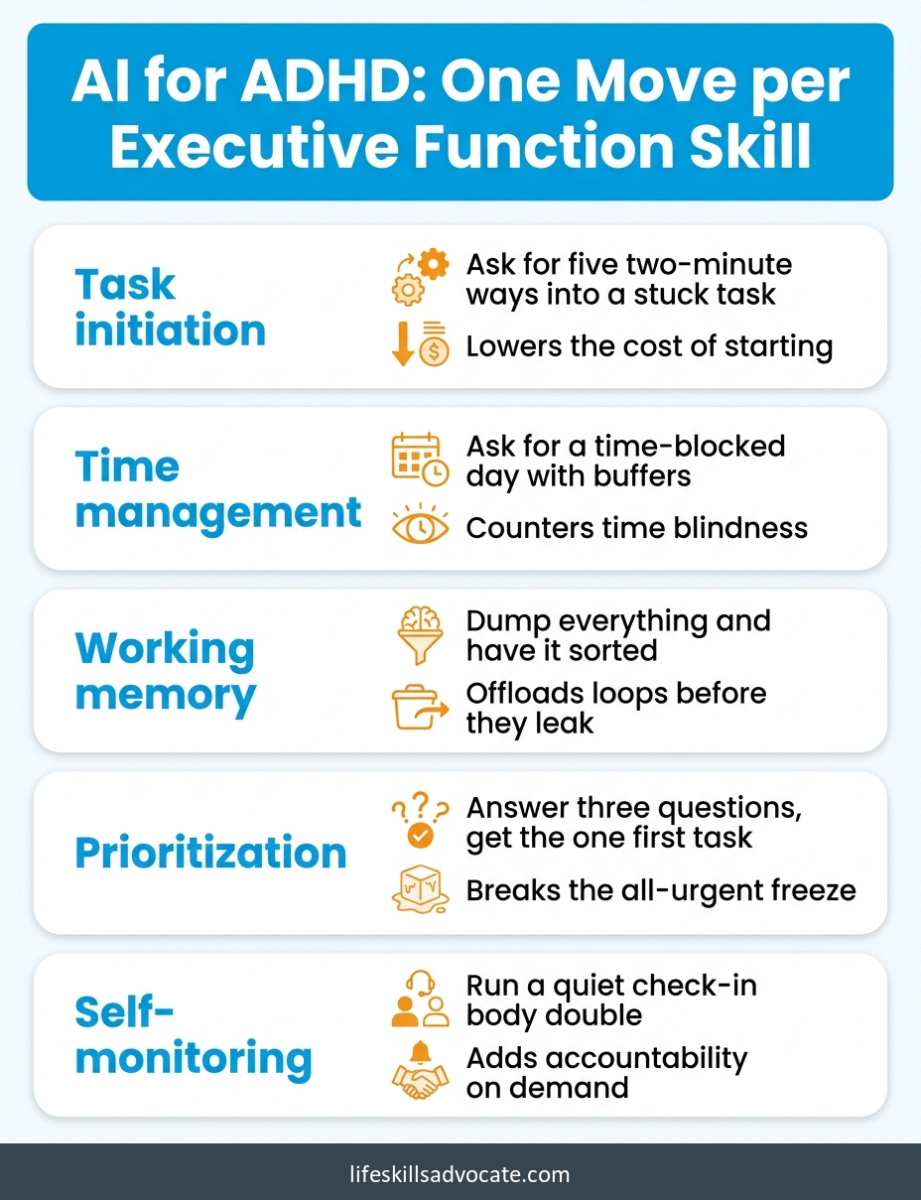
If you take one thing from this, take this. Here is the quick reference, mapped to the executive function skill each move supports:
| Term | What it means for AI for ADHD | Why it helps your brain |
|---|---|---|
| Task initiation | Ask for five two-minute “doorways” into a stuck task | Lowers the cost of starting to something you can picture doing |
| Time management | Ask for a time-blocked day with buffers built in | Counters time blindness and the urge to overpack |
| Working memory | Dump everything and have it sorted for you | Offloads the loops that would otherwise leak away |
| Prioritization | Answer three questions, then get the single first task | Breaks the freeze that comes when all of it feels urgent |
| Self-monitoring | Run a quiet check-in body double for a work block | Adds outside accountability the moment you need it |
The 5-Minute Task-Paralysis Routine
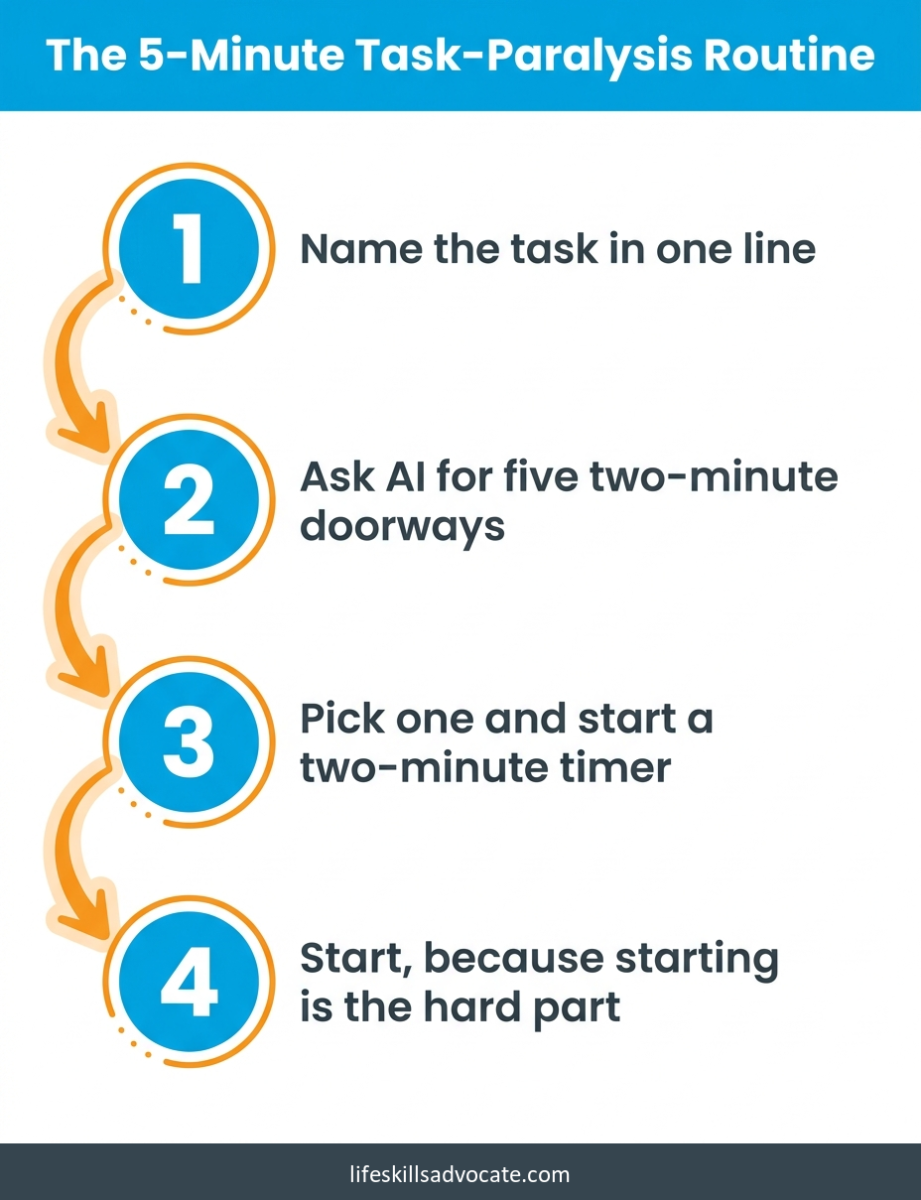
When AI for ADHD earns its keep, this is usually the moment: you know what you need to do, and you cannot make yourself begin. Here is a repeatable flow you can run in about five minutes, no setup required.
Open the chat and name the task in one line. Not the project, the task. “Reply to my landlord,” not “deal with housing.” Naming it small is half the battle.
Ask for five two-minute doorways. Use Prompt 1. You want five ways over the first inch, not a plan.
Pick one and start a timer. Two minutes. You only owe the timer two minutes, and very often the starting is the hard part, not the continuing.
That is the whole routine, and the simplicity is the point: there is nothing to figure out before you begin.
A Short, Current AI for ADHD Tool Shortlist
For most AI for ADHD use, you do not need a stack of apps. A general chatbot plus one or two purpose-built tools covers it. A plain, non-affiliate shortlist as of 2026:
- ChatGPT is the flexible default. Every prompt above runs on the free version, and its only real limit is that you have to bring the prompt. That is what this article was for.
- Goblin Tools is free, needs no account, and its Magic ToDo feature breaks a vague task into small steps with an adjustable “how hard does this feel” dial.
- Saner.ai is built by people with ADHD and pulls notes, email, and calendar into one place, then suggests a daily plan. There is a free tier to try it.
- Motion is an AI calendar that auto-schedules your tasks around your real commitments and reshuffles whatever you miss. I use it daily, and it is the one tool that finally stuck for me. We went deep on it in our Motion review.
Where AI Stops Helping (a Support, Not a Crutch)
Here is the catch I promised, and it is the reason this whole guide to AI for ADHD exists. Used this way, AI is a scaffold: something you lean on while you build, not something you move into.
The version from someone who uses these tools every day: it is very easy to let the prop quietly become the load-bearing wall. The Edge Foundation names the risk directly, that leaning on outside support without building the inside skill can leave you more dependent, not more capable.
AI can break a task down for you. Whether you ever get better at breaking tasks down yourself depends on whether you watch how it does it or just take the answer and run.
A rule that has held up: let AI carry the load on a hard day, and try to do it yourself on a decent one.
There is also a point a tool cannot reach. AI can hand you a schedule, but it cannot sit with you while you figure out why you keep avoiding the same task, or notice that the real problem is burnout and not planning. That part is human work.
It is the difference between an app and executive function coaching, which is educational and skill-focused, not therapy and not a medical service. A coach helps you build the skill the AI is currently renting you.
Privacy and Getting It Wrong
AI for ADHD carries the same two risks as any chatbot. First, these tools can be confidently wrong. They generate plausible text, not verified truth, so anything that actually matters (a date, a dose, a legal detail) gets a second check from a real source.
Second, watch what you paste. A chatbot is not a private journal and it is not a confidant, even when it sounds like one. Sharing how you feel or what you are stuck on is fine. Sharing health records, account numbers, or someone else’s private details is not.
The Part the Neurodivergent Community Argues About
Not everyone is comfortable reaching for AI, and a lot of neurodivergent people have thought-through reasons to hold back. Better to name them than pretend the choice is a free one.
Training and running these models takes real energy and water, and the climate cost is fair to weigh. Many of the tools were built on writing and art their creators never agreed to hand over, which sits badly with a lot of people. And there is a quieter worry that is specific to us: that “productivity” tools can push you toward masking, toward keeping a neurotypical pace, instead of working the way your brain actually wants to.
None of that has a clean answer, and this guide will not pretend otherwise. These are real tradeoffs, you get to weigh them for yourself, and leaning on a tool to take the edge off a hard day does not mean you have to ignore them. If the ethics rule it out for you, that is a legitimate place to land.
Frequently Asked Questions
Can relying on AI for ADHD make things worse?
It can, if it replaces the skill instead of supporting it. The risk is not the tool itself, it is using it on autopilot: letting it break down every task without ever watching how, so the day your phone dies, you are back to square one. It depends entirely on how you use it. Treat AI as a support you lean on while you build, and it helps. Treat it as the only thing holding you up, and you have traded one struggle for a new dependence. Most people land somewhere in between, and where you land is worth checking every few weeks. A simple test: now and then, try the task without the AI. If you still can, the skill is still yours.
Which AI is best for ADHD?
There is no single winner. ChatGPT is the most flexible starting point and runs every prompt here. Goblin Tools is free for task breakdown, and Motion is the AI calendar I use. Best is whichever you will actually open.
How does AI for ADHD actually help day to day?
It works as outside executive function support, taking over the holding and sorting your brain finds expensive. The most useful moves are breaking a task into a believable first step, sorting a brain dump into today and not-today, building a time-blocked day with buffers, and acting as a quiet body double. The prompt library above is organized around exactly those jobs.
Is it safe to tell ChatGPT about my ADHD?
Generally yes, with one limit. Describing your challenges so it can help you plan is low risk and is the whole point. What to avoid is pasting in sensitive data: medical records, account numbers, your address, other people’s private information. A chatbot is a third-party service, not a sealed file. Keep it to the task in front of you, and build the habit of a pause before you hit enter. That sidesteps most of the privacy worry.
Do I have to pay for ChatGPT to use it for ADHD?
No. The free version runs every prompt in this guide.
Next Steps
If you only do one thing after reading this, make it the smallest one. Momentum is the actual goal, not a perfect system.
- Run one prompt today. Point the five-doorways prompt at the task you have been avoiding all week, and do one of the two-minute doorways it gives you. That is the entire assignment.
- Find out which skill keeps tripping you. Our free executive functioning assessment scores the same 11 skills the prompts are sorted by, so you can aim your effort instead of spraying it.
- Want the structured version? Advocate360 is our $20/month tool that pairs that EF assessment with AI-drafted goals and a library of skill-building exercises. Its rule is the same as this article’s: AI helps draft, people decide. There is a 14-day free trial, no card.
- Bring in a person when the prop starts carrying you. If the AI is doing all the lifting and you are doing none, that is the signal to add a human. That is what executive function coaching is built for.
- Keep a running note of what worked. Save the two or three prompts that actually helped and ignore the rest. A short list of moves you trust is worth more than a folder of clever ideas you never reopen.
Further Reading
- Beyond Productivity Hacks: AI as Cognitive Support for ADHD Adults – Edge Foundation
- Coaching, AI Tools, and the New ADHD Support Ecosystem – Edge Foundation
- 6 Ways AI Can Help You Manage ADHD Symptoms – Understood
- Harnessing Artificial Intelligence to Live Better with ADHD – CHADD
- How to Use ChatGPT: An Executive Function Tool for ADHD Brains – ADDitude
- Explained: Generative AI’s Environmental Impact – MIT News
- The 11 Executive Functioning Skills – Life Skills Advocate
- What Is Task Paralysis and How to Combat It – Life Skills Advocate
- How to Build a Time Management Plan – Life Skills Advocate
- How Brain Dumping Improves Executive Functioning – Life Skills Advocate
- How to Use Body Doubling – Life Skills Advocate
- Motion AI Review: AI Calendar Support for Executive Function – Life Skills Advocate
- Brain Dump Worksheet – Life Skills Advocate
- Time Estimation Worksheet – Life Skills Advocate
- Free Executive Functioning Assessment – Life Skills Advocate
- Executive Function Coaching – Life Skills Advocate
- Advocate360 – Life Skills Advocate